5 curl Alternative API Testing Clients
Replacements of curl for Windows, Linux, and Mac users
When implementing or testing APIs, it’s essential to have an HTTP client tool that is handy and easy to use. And for that, curl is probably one of the go-to tools of most programmers.
curl, created in 1997 by Daniel Stenberg, is a command-line tool for transferring data with URLs using protocols like HTTP, HTTPS, SSL, FTP, Kerberos, and many others.

curl logo
curl’s simplicity and broad protocol support make an amazing piece of software. But we are not in 1997 anymore, and nowadays, in the era of API-driven societies and specifically REST APIs, we may want to have a little extra power in our hands.
Things like request authentication against APIs, JSON syntax highlighting for responses, script automation for tests, and versioning requests across distributed developers are needed, and curl seems to fail in these areas.
So let’s check some curl alternatives that may do that job.
VSCode Rest Client
VSCode Rest Client is an extension plugin to Microsoft’s VSCode code editor. It basically allows the testing of HTTP calls by writing a few lines of curl****-****like syntax in an http file.
The biggest advantage of this extension is that you never need to leave the code editor to test your endpoints and connections. If you use VSCode to code your apps and APIs, you probably won’t need any external HTTP client app installed on your laptop. Cool, isn’t it?
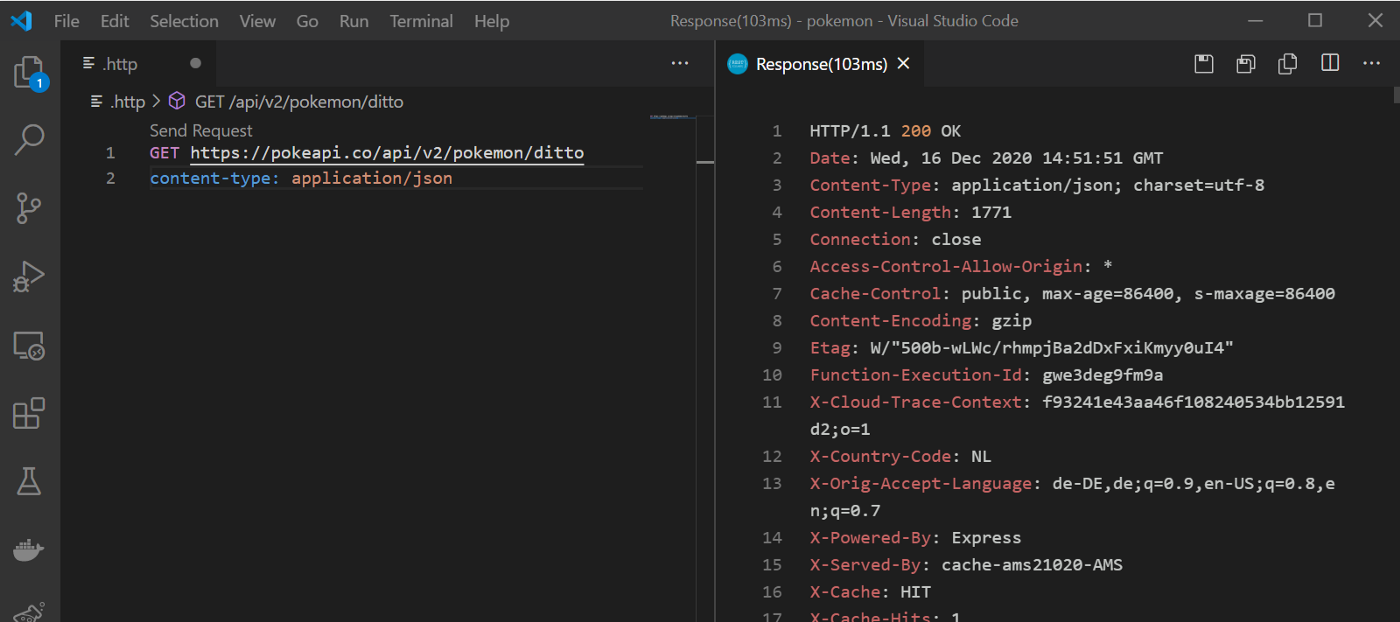
VSCode Rest Client
HTTPie
HTTPie is a command-line based HTTP client that may serve as a nice alternative for those who want to try something different from curl but still use a command-line terminal for testing JSON-based APIs.
Besides having a simple language, HTTPie has a colorized terminal output with syntax highlighting, authentication capabilities, and built-in JSON support.
It is probably the best command-line based curl replacement out there.

httpie animation GIF— httpie github
Postman API Client
Moving to desktop apps with another well-known API testing client, we have Postman API Client.
Postman can provide us with everything we need when doing API testing, from simple HTTP requests to authentication, automated tests, and custom scripts. Its request analysis capabilities can also be quite handy if, for whatever reason, you need to understand all the layers your request and response are traveling through.
Features like cloud sync and shared requests between users make Postman a complete API testing tool.
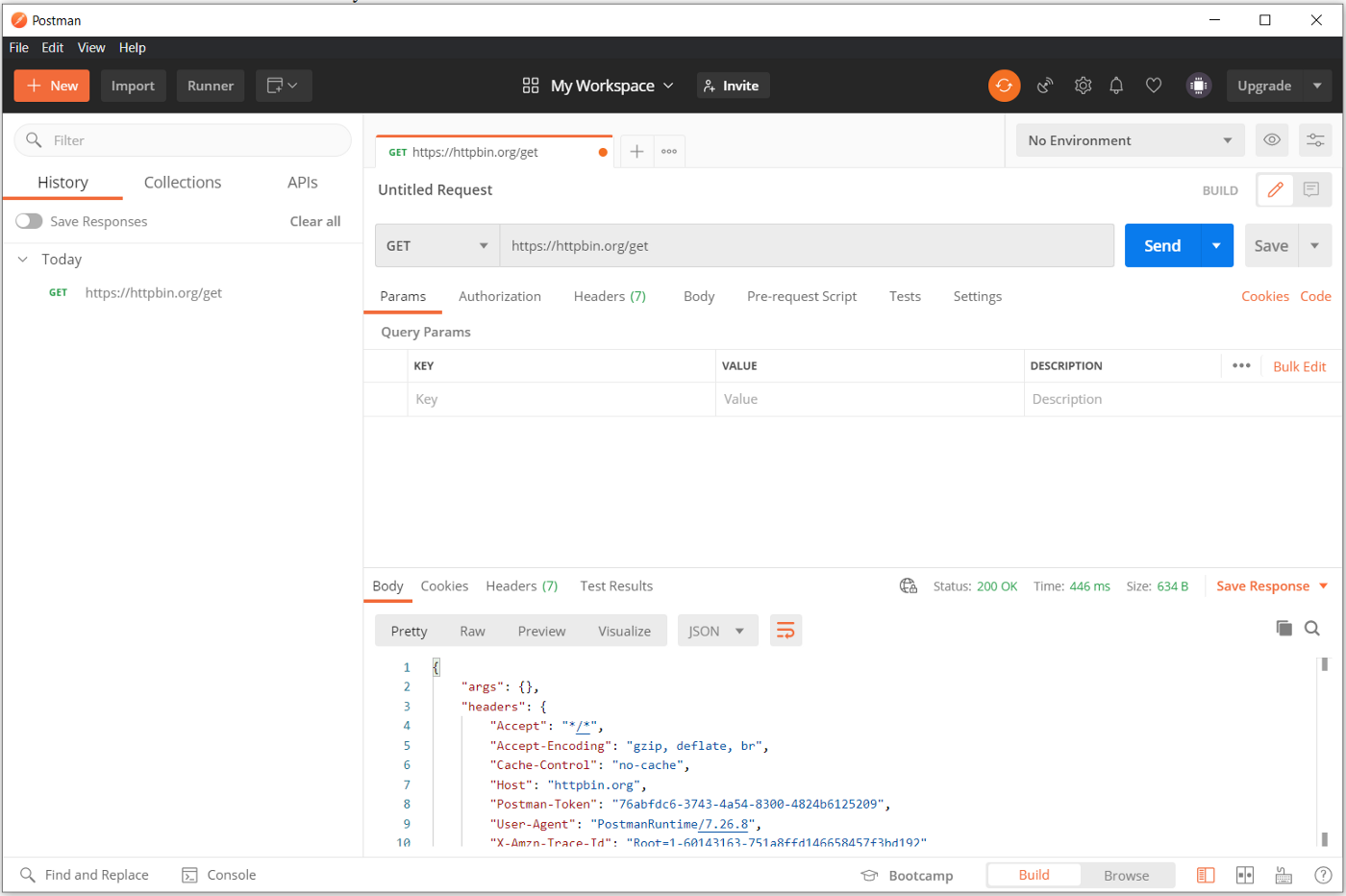
Postman API Client
Insomnia
Insomnia is divided basically into two main products: an API designer tool and an API client.
Insomnia API Client is interesting due to its extensibility with custom plugins, support for different response types like PDF and images, and its certificate management utilities for SSL.
On top of that, Insomnia’s documentation is always complete and up to date to the point where every detail, instruction, or example of a feature can be found.
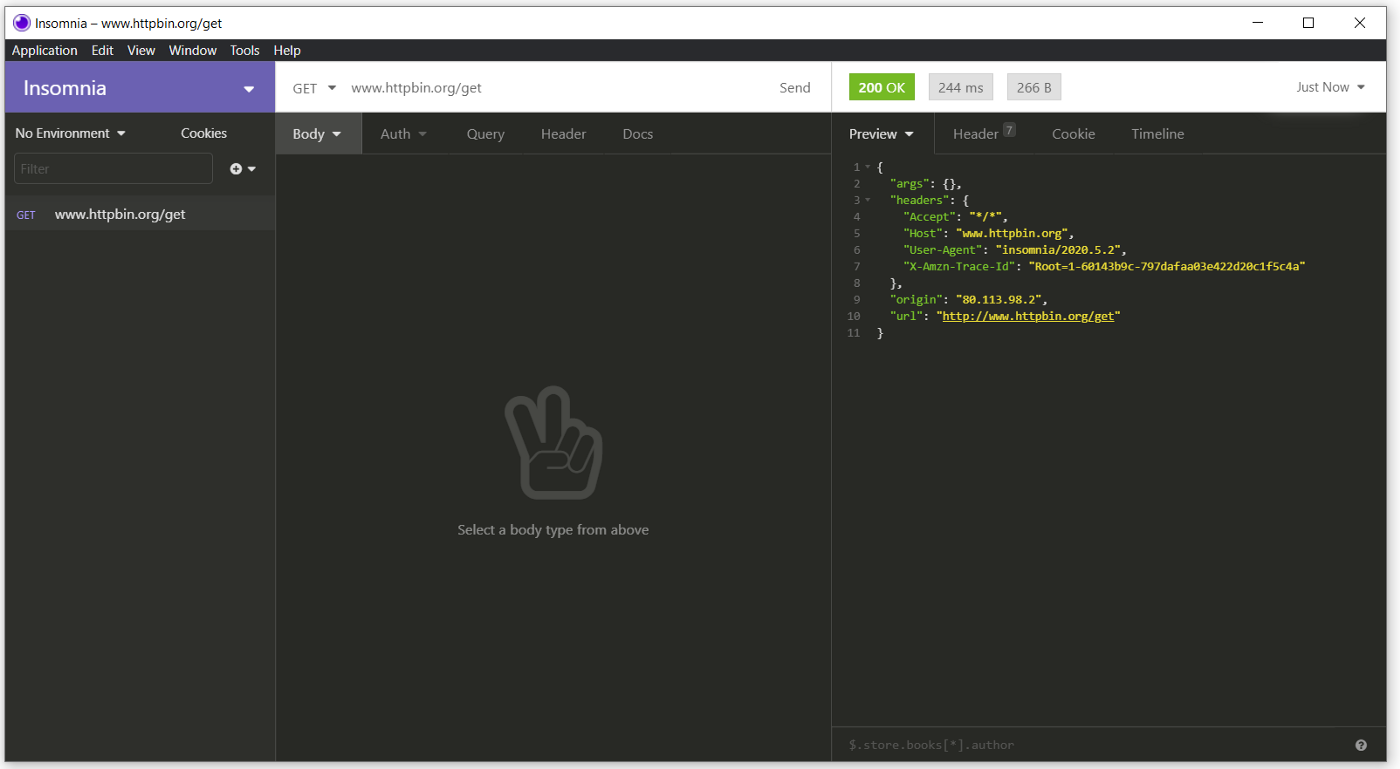
Insomnia API Client
Paw
If you are running on a Mac and have some budget, you may want to look at Paw. This one is entirely tuned to run on Macbooks, taking advantage of every bit of hardware and software available on Apple laptops.
Paw also supports versioning with cloud sync, extensions that can be installed separately, and secret management.
Probably the only downside of using Paw is its pricing.
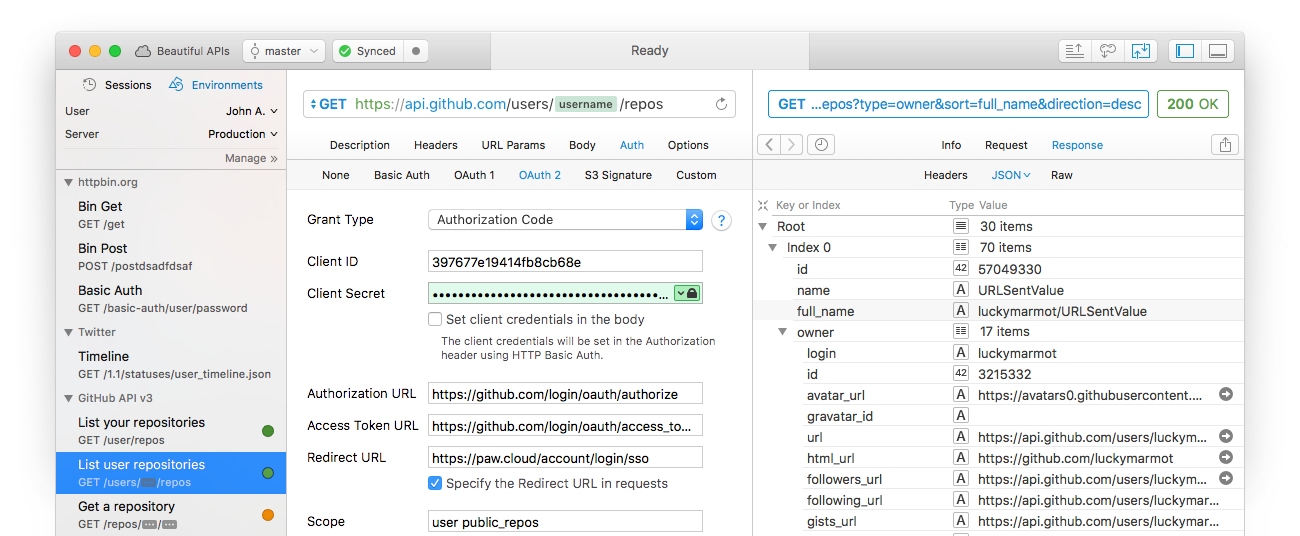
Paw
Welcome to modern API development and testing :)
Resources
- curl — https://curl.se/download.html
- VSCode Rest Client — https://marketplace.visualstudio.com/items?itemName=humao.rest-client
- HTTPie — https://httpie.io/
- Postman — https://www.postman.com/downloads/
- Insomnia — https://insomnia.rest/
- Paw — https://paw.cloud/
More articles on programming, productivity, and life
Browse all articles →Related articles
CURL or Postman requests as Mobile Clients: Android Phone, Tablet, iPad, iOS
How to simulate mobile client requests via CURL or Postman.

HTML to PDF API: Generate PDFs from HTML with PDF-API
How to generate PDF files from HTML content

Using Next.JS with BulmaCSS
How to add BulmaCSS framework to a Next.JS project